


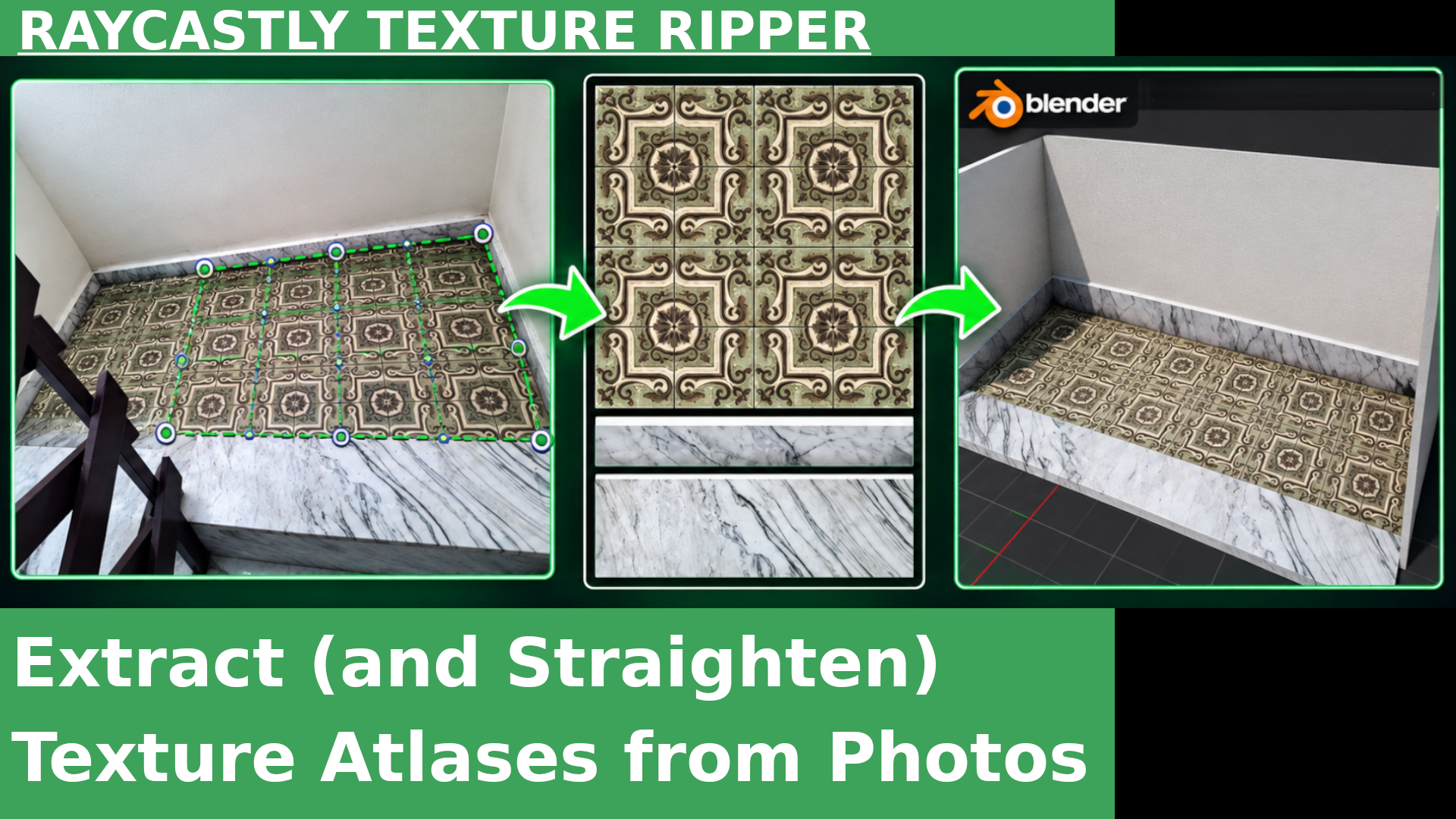
Extract (and Straighten) Texture Atlases from Photos with Raycastly Texture Ripper
Raycastly Texture Ripper is a free and open-source program that allows us to extract and straighten portions of photographs, combining them into a single image that can be used either as a single...
Krita Basics: How to Use the Fill Tool and Fill Shortcuts
In this basic tutorial we will look at the two main methods for quickly filling a Layer or a selection in Krita. We will also see how to change the shortcuts for filling the entire selection, so...
Krita, UI basics: How to Increase Icon and Text Size
In this very short basic video about Krita 5, we will look at three ways to enlarge some tool icons and the size of the text.
10: Applying the Material in Blender and Conclusion | Turntable Photogrammetry Tutorials series
In this final episode of the basic turntable photogrammetry series, I will apply the PBR Textures exported at the end of the previous episode to the Low Poly model.
In this episode of the basic turntable photogrammetry series, we will look at some useful tools for correcting errors in the Textures imported into the Substance project.
08: Creating the Base Material in Substance Painter | Turntable Photogrammetry Tutorials series
In this episode of the basic turntable photogrammetry series, I will show you how to bake the Normal Map from the High Poly geometry to the Low Poly one in Substance Painter.
07: Baking Maps from High Poly to Low Poly in Painter | Turntable Photogrammetry Tutorials series
In this episode of the basic series on turntable photogrammetry, I will show you how to transfer the Color information from the original High Poly reconstruction to the Low Poly object obtained in...
06: Creating the Low Poly Version in Blender | Turntable Photogrammetry Tutorials series
In this episode of the basic turntable photogrammetry series, I will create a Low Poly version of the geometry obtained at the end of the previous episode.
In this episode of the Turntable Photogrammetry basic series, I will import the High Poly mesh into Blender and clean it up a bit before creating the Low Poly version.
04: Reconstructing Geometry in Meshroom | Turntable Photogrammetry Tutorials series
In this episode of the basic turntable photogrammetry series, we will see how to reconstruct the high poly geometry from the images with transparency generated in Blender at the end of the previous...
In this episode of the basic turntable photogrammetry series, we will analyze the fundamental features of a Meshroom project for reconstructing geometry from photographs.
01: Environment Setup and Photography | Turntable Photogrammetry Tutorials series
In this episode of the basic turntable photogrammetry series, I will give an overview of the setup used to photograph the walnut shell that will be reconstructed through photogrammetry.
Going Nuts with Photogrammetry: the Turntable Photogrammetry Tutorials series | 00: Overview
This is the episode 0 of a series on a photogrammetry project that involves the use of Blender, Meshroom, and possibly Substance Painter. This is a basic series aimed at those with little to no...
Meshroom Quick-Tip: How to Resize Camera Icons and Points
This very short video is a small extra to the photogrammetry miniseries with Blender and Meshroom, whose final episode I published just a few days ago.
Retopology with Instant Meshes (basics)
This is a basic tutorial on how to use Instant Meshes, a free and open-source program that allows you to perform retopology and reduce the polygon count of 3D models.
FBX Converter for Importing ASCII FBX Files into Blender 4.3
In this video, I want to introduce you to a small free tool from Autodesk that converts ASCII FBX files into binary format, allowing them to be imported into Blender using the default FBX...
Look for the Tablet section, just below the performance settings...



Select your language